
Custom notifications can be sent to a single user, to multiple selected users, or to all logged in users for a specific activity. You can enter any text (max. 150 characters) in your own notification. The user will receive the notification either directly to the phone or to an email address, depending on whether or not they use the Spream mobile application.
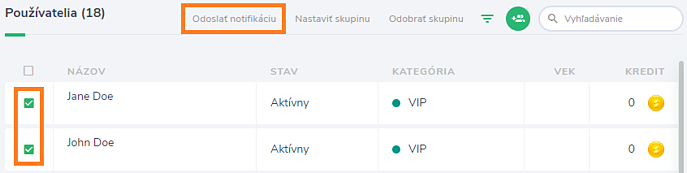
To send your own notification to the selected users, in the Users section, you need to select the users to whom you want to send the notification, and after clicking the Send notification button, enter the notification text.
To send your own notification to all logged in users for a specific activity, it is necessary to click on the bell icon in the activity detail and enter the notification text.
