
Users can pay for the activity by credit, season ticket or cash / card on site. However, you can choose the payment methods that are allowed for each activity (read more about setting up payments).
For each booking, the payment method by which the activity was paid is displayed. In case that you want to change the payment of the reservation, just click on the current payment method and select another.
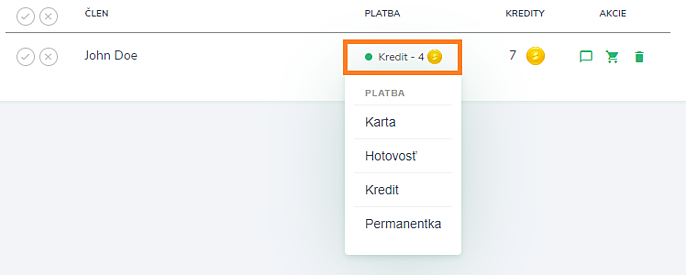
The system automatically returns the original payment (credits or inputs) to the user and creates a new one. If he paid in cash, you must return the payment to him personally.
Example:
The user logs in to the activity using credits, then buys an entrance fee season ticket and wants it deducted and credits returned. In this case, it is enough change the payment method from credits to a season ticket and the system will automatically transfer the user's credits back and deduct the entry from the season ticket.