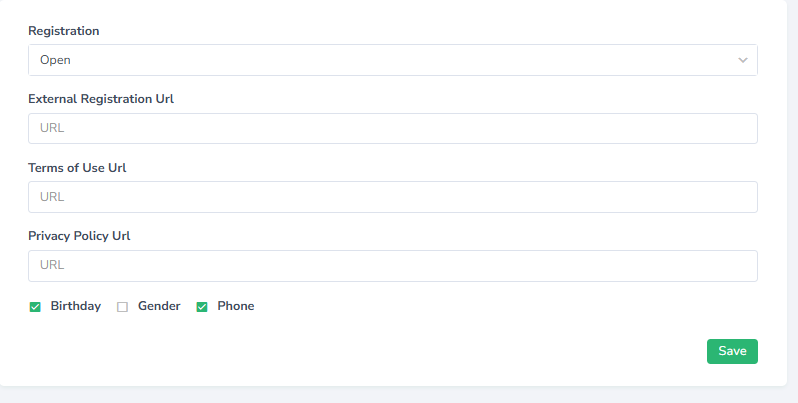
We’re excited to introduce a new feature in our application – the ability to customize the accent color of selected elements. Administrators can now easily choose any color that suits their preferences or matches their brand identity.
Flexible Color Customization
Whether you prefer soft pastel tones or bold, vibrant colors, the app lets you tailor the look and feel to fit your needs. This flexibility ensures a visually appealing interface aligned with your brand.
Enhanced Design and User Experience
The new color options bring a refreshed design that improves the overall look of the app. Your users will enjoy a more modern, personalized experience – one that encourages engagement and leaves a professional impression.
.png?width=600&height=450&name=687108b2f2b96c866ca99f47_Dizajn%20bez%20n%C3%A1zvu%20(12).png)
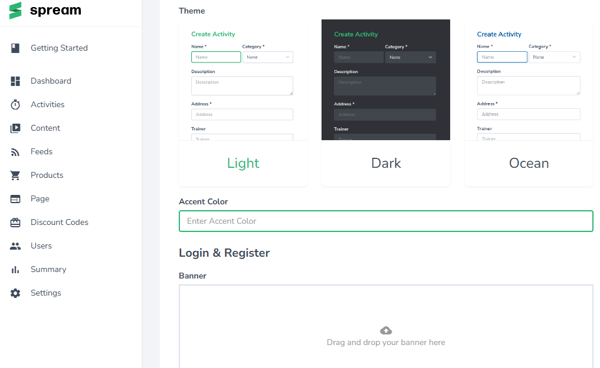
How to Set Your Accent Color:
- Go to Settings: Open the Settings module and navigate to the Branding section.
- Enter Your Color: Input your preferred color code into the Accent Color field.
- Save Changes: Click Save, and your users will instantly see the updated color throughout the app.
This feature is part of our ongoing effort to give you more control over both the functionality and appearance of your app — helping you create a better experience and a stronger brand presence.
.png)